Chrono Warfare Tower Defense Chrono Warfare Scripts
What players search for, how automation maps to tower defense loops, and why account safety matters.
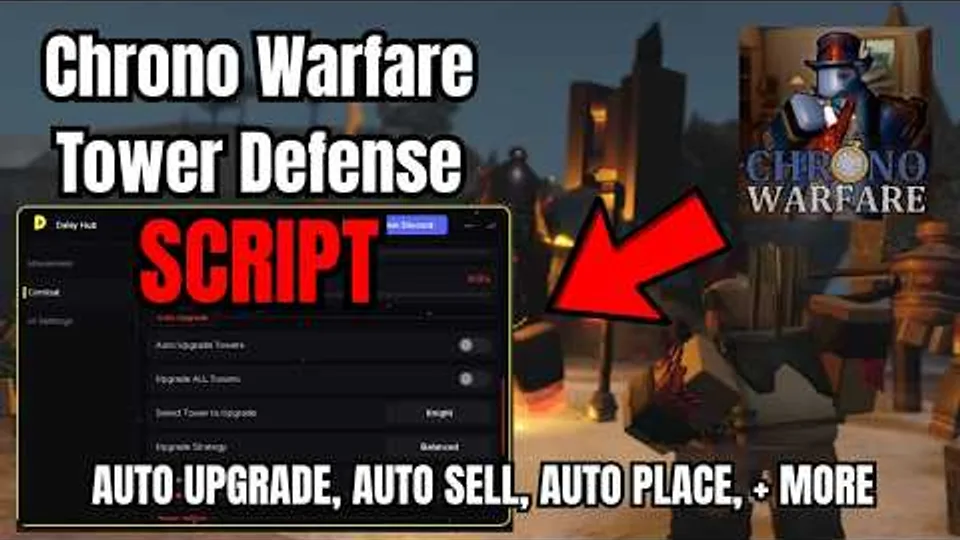
Players look for Chrono Warfare Tower Defense scripts for the same reasons they search in any Roblox tower defense: repetitive placement across long era runs, upgrade timing that punishes slow clicks, and the desire to farm currency while multitasking. Chrono Warfare from BoringGames Studio is a live, online multiplayer experience that is still labeled unfinished on the official listing, which means automation that worked last week may break after the next patch reshuffles tower costs or lobby flow.
This hub does not publish exploit loaders, obfuscated pastebin strings, or step-by-step executor tutorials. Instead it explains feature categories you will see in community discussions, how those features map onto Chrono’s core loop, and the risks that come with running third-party software against Roblox Terms of Use.
What players typically search for
Search traffic clusters around a handful of automation ideas:
- Auto place — selecting a tower type and letting software drop units on valid tiles each wave.
- Auto upgrade — spending currency on priority towers without manual shop clicks.
- Auto sell — liquidating low-value placements before boss waves or era transitions.
- Auto skip / vote start — advancing intermission timers in co-op public servers.
- Macro record and replay — recording a human placement sequence once, then replaying it on repeat farms.
- Quality-of-life toggles — camera zoom, walk speed, or UI overlays that do not directly touch combat.
Dedicated Chrono Warfare listings were sparse in August 2026 research compared with older Roblox tower defenses. That gap does not mean automation does not exist—it often means scripts are bundled under generic TD hubs, shared privately in Discord threads, or break quickly while BoringGames Studio ships Prehistoric Times and Ancient Civilizations updates. Treat any download link as unverified until you personally confirm it targets place ID 117795955884406.
How automation maps to Chrono’s TD loop
Chrono Warfare follows the genre rhythm documented in our How to Play guide:
- Pick an era or community route (Stone Age, Iron Age, Rome/Colosseum, Ice Age, Cursed Pit, Pack Hunter, PVP Test).
- Earn currency from wave clears.
- Place and upgrade towers along multi-lane paths.
- Survive boss spikes and spend rewards on the next unlock.
Auto-place tools shortcut step three. They can help players with mobility limitations replicate a static opening, but they also mask learning—you may not notice when a patch nerfs the tower your macro always buys. Auto-upgrade scripts amplify that problem by spending cash on outdated priorities. Auto-sell features can grief co-op partners if they liquidate shared economy towers without consent.
Legitimate skill growth still lives in our Guides Hub and the Era Checklist tool, which tracks clears locally without touching Roblox clients.
Account risk and Roblox Terms of Use
Roblox prohibits unauthorized third-party software that modifies client behavior or automates gameplay. Consequences range from session kicks to permanent account loss, regardless of whether a script claims to be “undetected.” Additional risks include:
- Malware disguised as free hubs or key systems.
- Credential phishing pages that mimic login flows.
- Data theft from executors requesting broad permissions.
- Social engineering in Discord servers that gate scripts behind suspicious downloads.
Using automation on public servers also harms other players: skipped votes, spammed placements, and desynced wave states ruin co-op runs. Chrono Warfare supports online multiplayer; etiquette matters even if Roblox moderation never contacts you.
Safer alternatives on this wiki
Before considering exploits, exhaust legitimate paths:
- Codes Hub — promo status (none verified active as of August 2026) plus redemption help.
- Updates Hub — know when balance changes invalidate old strats.
- Tier List Hub and Players Hub — invest in the right towers manually.
- Auto Place guide — deep dive on placement automation categories without publishing loaders.
When listings change
Script catalogs rotate daily. A feature demo video may show UI from a prior build; always compare against your live client. Because Chrono Warfare is released yet in development, expect automation threads to lag official patches by days or weeks. Evolution Evade veterans should not assume EE-era scripts port forward—Chrono is a separate place with different units and non-canon story rules.
Related pages
| Topic | Link |
|---|---|
| Era walkthroughs | Guides Hub |
| Promo rewards | Codes Hub |
| Patch timing | Updates Hub |
| Progress tracking | Era Checklist |
| Official channels | Links Hub |
The embedded demo above illustrates common automation categories discussed in the community—use it to recognize UI patterns, not as an endorsement to run exploits on your account.
Frequently Asked Questions
Quick answers for Chrono Warfare Tower Defense players.
Are there working Chrono Warfare scripts in August 2026?
Public listings dedicated to Chrono Warfare were sparse during our research. Generic tower defense automation exists, but compatibility breaks often while the game receives unfinished-build updates.
Can scripts get my Roblox account banned?
Yes. Unauthorized automation violates Roblox Terms of Use. Enforcement varies, but permanent bans are possible, especially when scripts modify gameplay on public servers.
What is the safest way to progress without scripts?
Follow the Guides Hub for era routes, use the Era Checklist to track clears, and read Updates after patches. Legitimate play avoids malware and account risk entirely.
Do auto-place scripts help in co-op?
They can conflict with teammates by spending shared economy, skipping votes, or placing towers that block planned lanes. Manual coordination remains the reliable approach.
Why does this wiki avoid posting script code?
Pastebin loaders change frequently, may contain malware, and encourage ToS violations. We document feature categories and risks instead of distributing exploit strings.