Chrono Warfare Tower Defense Auto Place & Upgrade Helpers
How placement automation works in tower defense, what players expect, and why manual play still wins long term.
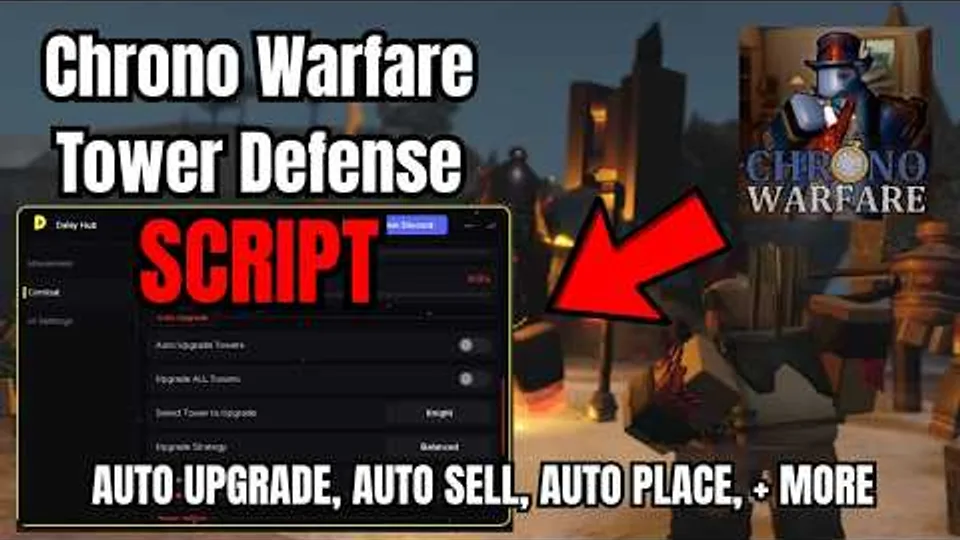
Auto place, auto upgrade, and auto sell are the three automation pillars players ask about first in Chrono Warfare Tower Defense. Together they promise hands-free clears across Stone Age openings, Iron Age attrition, Rome/Colosseum arena waves, and longer farms toward Ice Age or Pack Hunter goals. This page explains how those helpers behave in generic Roblox tower defense tooling, how they intersect with BoringGames Studio’s unfinished-but-playable build, and why this wiki documents features without distributing exploit code.
Return to the Scripts Hub for account risk summaries and links to legitimate progression paths on the Guides Hub.
What “auto place” actually means
Placement automation is not one feature—it is a stack of behaviors:
- Tile scanning — software reads valid build surfaces along the path mesh and picks coordinates according to preset rules (closest to exit, maximum overlap, etc.).
- Tower selection — the user chooses one unit or a rotation list; the helper cycles through slots when currency allows.
- Wave triggers — some tools wait for intermission, others spam placements mid-wave when refunds are enabled.
- Multi-lane awareness — better helpers attempt to cover parallel lanes; naive ones stack everything on lane one and leak the rest.
In Chrono Warfare, era theming changes path geometry between Prehistoric Times content and Ancient Civilizations maps. A macro recorded on a Stone Age layout will misplace towers after a patch reworks choke points—even if the script still “runs.”
Auto upgrade in the economy loop
Upgrade automation listens to the same currency pool you spend manually during How to Play fundamentals:
- Detect affordable upgrades on a priority list.
- Click—or simulate clicks on—the upgrade button.
- Optionally stop at a level cap to save cash for the next tower.
Helpful on paper, dangerous in practice. Chrono’s balance churn while labeled in development means the “best” upgrade order from last month may overspend on a nerfed archer line or ignore a newly buffed anomaly counter. Auto upgrade also ignores situational tech—sometimes you delay leveling to place a second lane holder before a boss.
Pair manual review with Tier List Hub priorities and Patch Notes so you know when to disable automation entirely.
Auto sell and inventory hygiene
Sell helpers liquidate towers that fall below a DPS threshold or free grid space for a scripted follow-up unit. Uses include:
- Recycling early trash units before Rome/Colosseum boss waves.
- Freeing slots when tower caps are low during Cursed Pit attempts.
- Panic selling when a leak is detected—sometimes paired with auto place to rebuild a default layout.
Risks escalate in online co-op on public servers. Selling a teammate’s carry tower because it matched a “low DPS” rule destroys trust and may cause an instant kick vote. Shared-economy modes make auto sell especially toxic.
Macro record / replay versus live automation
Many community tools blur the line between macros and bots:
- Record once — you play a round manually; the tool logs timestamps and coordinates.
- Replay forever — the macro repeats the sequence, assuming identical map seeds and starting cash.
Macros teach opening patterns useful for learning—watch a clean Stone Age opener, then practice it yourself. They fail when:
- Patch notes change starting currency (Updates Hub).
- Random modifiers appear in challenge routes like Cursed Pit.
- Co-op partners alter lane pressure before your replay fires.
Treat macros as training wheels, not progression replacements. The Era Checklist tracks which routes you cleared without automation.
Feature bundles you may see discussed
Without endorsing any specific loader, forum threads about Roblox tower defense often list overlapping toggles:
| Category | Typical claim | Chrono relevance |
|---|---|---|
| Auto place | Drops towers on valid tiles | Era-specific pathing may break presets |
| Auto upgrade | Spends cash on listed units | Balance patches invalidate priority lists |
| Auto sell | Removes underperformers | Co-op griefing risk on public servers |
| Auto skip vote | Starts waves early | Disrupts teammates planning upgrades |
| Auto ability | Fires tower skills on cooldown | Requires accurate ability API hooks |
| Walk / fly speed | Traverses lobby faster | Often unrelated to TD skill |
| Infinite currency | Spoofs UI numbers | High ban risk; desyncs sessions |
Anything promising infinite currency or god mode is both a ToS violation and a sign to close the tab.
Responsible notes if you still experiment
This section is not encouragement—it is harm reduction if you ignore Roblox rules:
- Test on an alt account you can lose, never your main with Robux purchases.
- Avoid downloading key-gated loaders that demand Discord OAuth or executable installs from unknown hosts.
- Never paste credentials into “script hubs.”
- Disable automation in public co-op; run solo instances if you insist on testing.
- Compare place ID
117795955884406before attaching anything—clone games waste time at best.
Official progression remains faster long term when you read Iron Age and Ancient Rome Colosseum guides, then adapt to patches manually.
Why we skip full code dumps
Publishing loader strings here would:
- Go stale within days while BoringGames Studio ships unfinished updates.
- Encourage malware distribution disguised as Chrono Warfare hubs.
- Mislead players into thinking automation replaces understanding anomaly types covered on the Players Hub.
If you want structured improvement without bans, use Codes Hub when official promos exist, watch legitimate gameplay reviews on the Review tool page, and track era milestones manually.
Evolution Evade carryover myths
Evolution Evade automation habits do not transfer cleanly. Chrono Warfare is the official successor experience, but EE units and story are not canon. Old EE macros target different maps, economies, and UI flows. Assume zero compatibility until you verify in a live session—and prefer relearning routes via All Eras Solo instead.
Summary checklist
- Auto place shortcuts positioning; it does not teach era mechanics.
- Auto upgrade amplifies outdated priorities after balance patches.
- Auto sell can grief co-op partners on public servers.
- Macros are fragile while Chrono Warfare remains in active development.
- Legitimate guides, tier lists, and the Era Checklist achieve progression without account risk.
For hub-level safety context, return to the Scripts Hub and cross-check Updates before every farming session.
Frequently Asked Questions
Quick answers for Chrono Warfare Tower Defense players.
Does auto place work on every Chrono Warfare era?
Compatibility depends on map layout and patch version. Stone Age and Rome routes use different path geometry, so presets that work on one era often fail on another without manual reconfiguration.
Is auto upgrade safer than auto place?
Both violate Roblox Terms of Use when implemented through exploits. Auto upgrade also wastes currency if balance patches change which towers deserve investment.
Can I use auto sell in co-op?
You should not. Selling shared or teammate towers destroys coordination and may violate server etiquette even when Roblox moderation does not intervene immediately.
Why do macros break after updates?
Macros assume fixed starting cash, paths, and UI timing. BoringGames Studio ships frequent changes while the game is labeled unfinished, so recorded sequences desync quickly.
What should I use instead of automation?
Follow era guides, check the tier list, track clears with the Era Checklist, and read patch notes after each update for legitimate progression.